
HAIER BIOMEDICAL / BIOSAFETY CABINETS
A considered space.
For critical work.
Start with the room your workflow needs. Explore four NSF-series cabinet sizes, understand the protection features, and build a configuration around your lab.
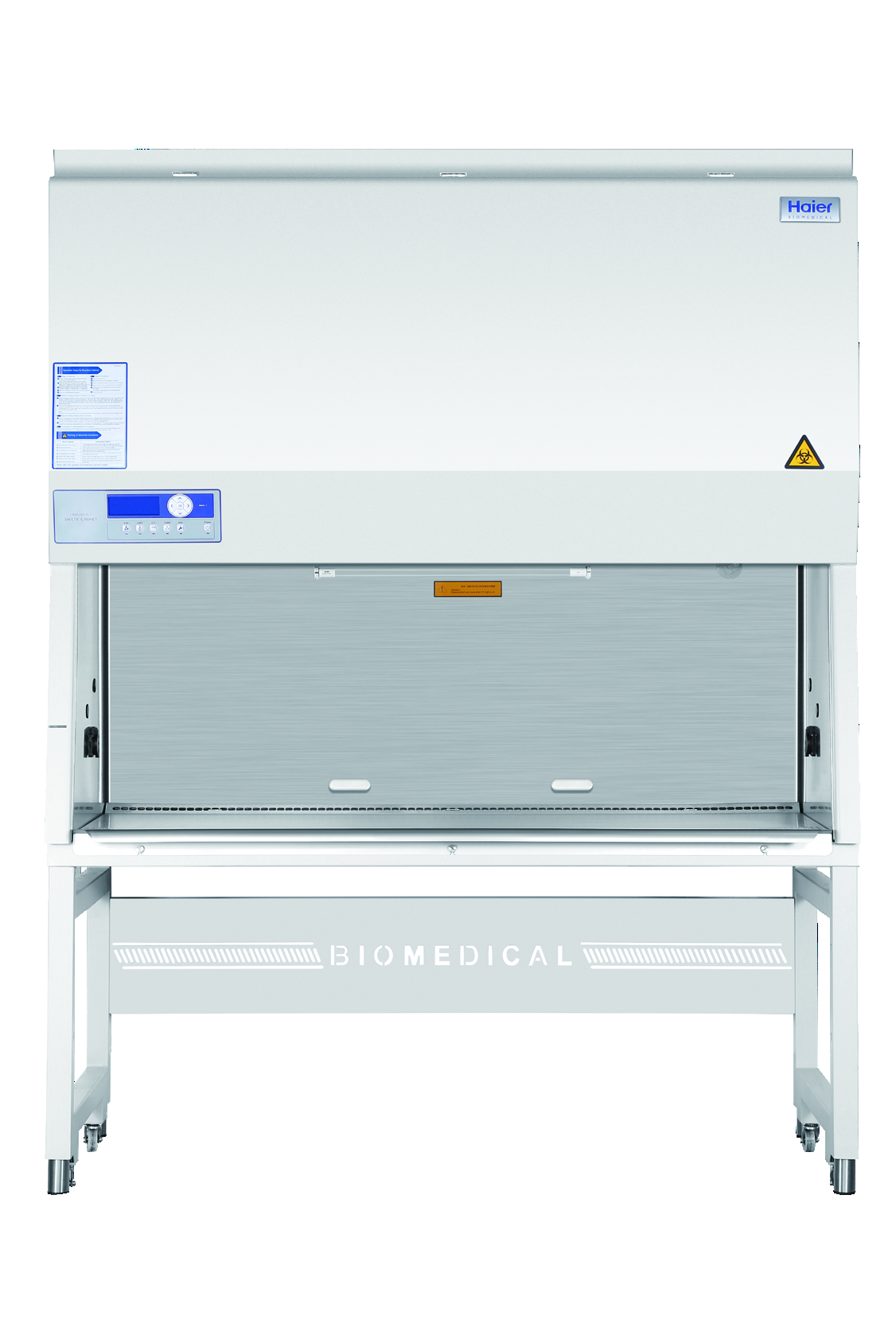
Manufacturer series photograph. Appearance and width vary by model and options.
01 / CHOOSE YOUR WORKING SPACE
Four widths.
Your way of working.
Nominal sizes help you browse. Check the actual work-area and exterior dimensions before planning your installation.
02 / BUILD YOUR CONFIGURATION
Authentic manufacturer series photography; shared across the four cabinet widths.
Dimensions are W × D × H. Haier lists an alternate exterior depth in parentheses; confirm the supplied configuration, installed height, delivery access and service clearance. Pound values here are calculated from the brochure’s kilogram values because some printed pound entries differ.
03 / UNDERSTAND WHAT WORKS FOR YOU
Protection you can examine.
Features with a purpose.
The following features are documented for all four NSF-series models in the linked Haier brochure. Animations explain the concepts; they are not live readings or performance tests.
AIRFLOW + FILTRATION
A controlled space
for your workflow.
Air is directed through the work area and filtered at both supply and exhaust. Haier specifies dual U15 ULPA filters with typical efficiency of 99.9995% at 0.12 μm.
What it helps you evaluate: filtration, front access and the airflow pattern around your work—not just the footprint of the cabinet.
Continuous airflow feedback
FUNCTION ILLUSTRATION / NOT LIVE AIRFLOWDUAL FANS + AIRFLOW FEEDBACK
Measure. Adjust.
Maintain the flow.
Airflow sensors report to the microprocessor, which adjusts fan speed against the target. Dual DC centrifugal fans support Haier’s specified inflow and downflow performance.
Why it matters: you can assess how the cabinet monitors airflow and responds during operation, alongside its published velocities.
STATUS + MAINTENANCE VISIBILITY
Know what needs
your attention.
The LCD shows operating information, fan runtime and remaining filter life. Audible and visual alarms cover door position, abnormal airflow and filter conditions; filter and UV service-life warnings support maintenance planning.
Bring your team’s response and maintenance routines into the equipment decision. The optional touchscreen is a separate configuration choice.
MATERIALS + CLEANING ACCESS
Make the reset
part of the design.
A one-piece stainless-steel liner, rounded 12 mm interior transitions and a screw-free 304 stainless-steel work surface reduce joints and fixed screw points in the working zone.
Consider how your team reaches, cleans and inspects the surface between tasks. A 316 stainless-steel work surface is optional.
680–900 mm
REACH + OPERATOR COMFORT
Fit the cabinet.
Fit the person.
Haier’s 10° cabinet inclination and platform armrest support access and viewing. Choose the optional height-adjustable stand for the selected cabinet size when the standard stand height does not suit the planned setup.
The matching stand option stays attached to its cabinet model when you request a configuration.
Choose your cabinet and stand ↑YOUR TIMING
UTILITIES + CONFIGURATION OPTIONS
Plan the details
around the task.
Two electrical sockets offer timed on/off operation. The brochure also describes UV timing and interlock functions. Service taps, valve ports and exhaust duct connection kits are optional.
Specify utility access and installation needs with the cabinet. Optional equipment is confirmed for the final configuration.
Discuss utility requirements ↗04 / COMPARE THE RANGE
See the fit.
Side by side.
Compare the workspace, electrical requirements and delivery dimensions, then configure the matching stand for your selected cabinet.
Specifications transcribed from the manufacturer brochure dated October 11, 2024. Values marked “not published” are left open; no values are inferred from another cabinet.
BUILD A CONSIDERED CONFIGURATION
Your workspace.
Your next step.
Bring your cabinet size, stand preference and utility needs into one conversation.
Review your configuration ↑